Invensis Learning Logo
    Contact Us
    Resources

    Microsoft Project Training in El Salvador

    Schedule Projects with Confidence

    Master the software project teams across El Salvador rely on to plan, schedule and track work. This instructor-led Microsoft Project training builds practical skills in task scheduling, resource management, cost control and progress reporting, delivered live online and onsite by experienced trainers for project managers, planners and PMO teams.

    Certification Badge

    Flexible

    Duration

    Live

    Mode

    16

    Hours

    11.7K+ already enrolled

    4.4 (1100+ Reviews)

    6 enrolled this week

    13 viewing right now

    Want to Train Your Team?

    Home/View Courses in El Salvador/Project Management Certification Training Courses in El Salvador/Microsoft Project in El Salvador

    Plan and Track Projects Efficiently with Microsoft Project in El Salvador

    Starts from

    USD 875

    Course Overview

    Overview

    Course Highlights

    Eligibility Criteria

    Benefits

    Exam Format

    What Is Microsoft Project Training?UntitledSkills for Real Project Delivery

    Microsoft Project Training in El Salvador is a practical, hands-on course that teaches you to plan, schedule and control projects using Microsoft Project, the industry-standard scheduling software developed by Microsoft Corporation. You learn to build a work breakdown structure, link tasks, assign resources, set baselines and track progress, so your schedules hold up in the real world. The programme is offered at two levels: Fundamentals for new or occasional users, and Advanced for experienced practitioners who need resource levelling, cost control, Earned Value and multi-project reporting. It suits project managers, planners, coordinators and PMO teams across San Salvador and the wider country who want to turn project management practice, including the PMI PMBOK Guide approach, into working plans. Delivered live online and onsite by experienced trainers, this training moves you from theory to a schedule you can run on Monday morning. Learning is reinforced through realistic Microsoft Project exercises throughout, so you finish able to apply every feature at work.

    What Is Microsoft Project Training?Skills for Real Project Delivery

    Microsoft Project Training in El Salvador is a practical, hands-on course that teaches you to plan, schedule and control projects using Microsoft Project, the industry-standard scheduling software developed by Microsoft Corporation. You learn to build a work breakdown structure, link tasks, assign resources, set baselines and track progress, so your schedules hold up in the real world.

    The programme is offered at two levels: Fundamentals for new or occasional users, and Advanced for experienced practitioners who need resource levelling, cost control, Earned Value and multi-project reporting. It suits project managers, planners, coordinators and PMO teams across San Salvador and the wider country who want to turn project management practice, including the PMI PMBOK Guide approach, into working plans.

    Delivered live online and onsite by experienced trainers, this training moves you from theory to a schedule you can run on Monday morning. Learning is reinforced through realistic Microsoft Project exercises throughout, so you finish able to apply every feature at work.

    Certification Badge

    Key Highlightsof the Microsoft Project Training Course

    End-to-End Skill Development

    • Structured Microsoft Project training in the El Salvador is designed to help learners understand the core features, tools, and project management workflows covered in the program through instructor-led Microsoft Project training
    • Course content aligned with current industry expectations, real-world project delivery requirements, and practical learning objectives for El Salvador professionals
    • Real-world examples and scenario-based learning to help learners connect MS Project features with everyday project management situations
    • Guided learning support to help participants strengthen understanding, improve confidence, and apply Microsoft Project skills effectively in their roles through a structured Microsoft Project training program

    Structured Courseware and Learning Resources

    • Access to organized Microsoft Project course materials including task scheduling templates, Gantt chart guides, and resource planning worksheets designed to support step-by-step learning in a Microsoft Project course online
    • Topic-wise learning resources, exercises, and knowledge checks to reinforce understanding of project planning, baseline management, and reporting
    • Practice activities, assignments, and scenario-based exercises to help learners apply MS Project tools in realistic project situations
    • Supplementary learning aids such as project plan templates, critical path reference guides, WBS checklists, and cost management toolkits

    Instructor-Led, Practical Learning Experience

    • Live interactive sessions delivered by experienced Microsoft Project practitioners with hands-on domain expertise across IT, construction, and operations sectors
    • Real-world examples, case discussions, and applied project planning exercises to improve practical understanding of MS Project features
    • Opportunities to ask questions, clarify doubts, and participate in trainer-led discussions on scheduling, resource leveling, and reporting
    • Training approach focused on helping learners use MS Project confidently at work, not just complete the course content

    Flexible Learning Support in El Salvador

    • Instructor-led training formats available for individual learners and corporate teams across the El Salvador
    • Options include live virtual classroom training, onsite training, and customized group training depending on availability and organizational requirements
    • Learning support designed to help participants stay on track before, during, and after the Microsoft Project training
    • Additional revision and post-training support may be available based on the selected course format

    Learn the Core Concepts Covered in the Course

    • Understand the Microsoft Project interface, navigation, and project setup including calendars, working time, and project properties
    • Learn task scheduling, dependency management, critical path analysis, and baseline setting based on the course curriculum
    • Explore practical use cases showing how MS Project is applied in IT, construction, engineering, and operations project environments
    • Build role-relevant knowledge of resource management, cost tracking, budget management, and reporting that supports better project delivery decisions

    Practice, Assessment, and Completion Support

    • Practice task scheduling, Gantt chart creation, resource allocation, and cost management through exercises and scenario-based activities
    • Use assessments to identify knowledge gaps in MS Project skills and strengthen understanding of weaker areas
    • Receive guidance from instructors to improve understanding of Microsoft Project features and stay aligned with course objectives
    • Earn a course completion certificate after successfully meeting the training requirements

    Career and Workplace Application

    • Build practical Microsoft Project skills that can support career growth, role advancement, or improved project delivery performance in the El Salvador
    • Strengthen confidence in applying Gantt charts, resource leveling, critical path analysis, and project reporting to real-world business challenges
    • Improve professional credibility through structured, skill-focused Microsoft Project training recognized across El Salvador industries
    • Support organizational capability building when delivered as corporate or team training across technology, construction, finance, and operations sectors

    Microsoft Project Training Eligibility in El SalvadorWho Can Enroll?

    • No formal prerequisites are required to enroll in the Microsoft Project training program

    • Basic familiarity with project management concepts is helpful but not mandatory

    • Professionals with no prior experience in Microsoft Project are welcome to join

    • Learners from all industries including IT, construction, finance, healthcare, and operations can benefit from this training

    • Individuals and corporate teams seeking to build practical MS Project skills are eligible to enroll

    What You Gain from Microsoft Project TrainingSkills That Show up in Your Work

    For Individuals

    For Individuals

    Microsoft Project training gives you a job-ready skill that project teams use every day. You move from tracking work in spreadsheets to building schedules that recalculate automatically, level resources and report progress with clarity. Whether you are a project coordinator, planner, project manager or PMO analyst in El Salvador, the training builds practical capability you can apply on your very next plan.

    If you want to be the person who can make Microsoft Project do the heavy lifting, this course is a clear step forward. You gain confident scheduling, resourcing, cost and reporting skills that employers across sectors recognise and rely on.

    • Plan, schedule and track projects confidently in Microsoft Project from day one
    • Build dependency-linked schedules and read the critical path instead of guessing dates
    • Assign and level resources so teams are neither overloaded nor idle
    • Set baselines and report progress and variance that stakeholders trust
    • Control costs and apply Earned Value at the Advanced level
    • Turn PMP, PRINCE2 or PMBOK Guide practice into working project plans
    • Stand out for planning and PMO roles across San Salvador with an in-demand software skill
    • Move faster from spreadsheets and manual tracking to professional scheduling
    For Organizations

    For Organizations

    Group Microsoft Project training helps organisations plan and control projects consistently. When teams share one scheduling method, plans become easier to compare, resources easier to balance, and progress easier to report to leadership. Delivered for PMOs, delivery teams or whole departments, the training can be tailored to your sector and your real project data.

    If your projects slip because plans live in disconnected spreadsheets, team training creates a shared Microsoft Project standard. Your teams gain a common language for scheduling, resourcing and reporting that improves delivery across the portfolio.

    • Standardise how every project is planned, scheduled and reported
    • Give PMOs one consistent Microsoft Project method across teams
    • Improve resource visibility and reduce over-allocation and delays
    • Track cost and schedule variance early with reliable baselines
    • Upskill whole teams onsite on your own project data
    • Strengthen delivery in construction, IT, banking and infrastructure programmes
    • Build in-house scheduling capability instead of relying on a few experts
    • Flexible live online and onsite delivery to fit team schedules

    Where Microsoft Project Skills Take YouRoles and Demand in El Salvador

    Microsoft Project skills open doors across El Salvador's fastest-moving sectors, from IT and nearshore services to construction, banking and public infrastructure. Employers want project managers, planners and PMO professionals who can turn plans into dependency-linked schedules, level resources and report progress with confidence. Microsoft Project training builds exactly those capabilities. As investment in infrastructure and technology grows, professionals who can drive the software behind the schedule are increasingly sought after, and here is what the market is showing.

    $33,600

    Average project manager pay, El Salvador

    per year, market estimate 2026

    100+

    Project management roles listed, El Salvador

    Indeed El Salvador, 2026

    6% a year

    IT sector salary growth

    above 2% national average, 2026

    $285M

    Construction foreign investment, 2023

    up 37.6%, Invest El Salvador

    SECTORS HIRING

    • —IT, Software and Nearshore Services
    • —Construction and Infrastructure
    • —Banking, Financial Services and Insurance
    • —Energy and Utilities
    • —Manufacturing and Consumer Goods
    • —Government and Public Sector

    GROWTH TRENDS

    • —Rising infrastructure and construction investment
    • —Fast-growing IT and nearshore delivery sector
    • —IT salaries rising 6% a year, above the 2% average
    • —PMOs standardising how projects are planned
    • —Shift from spreadsheets to professional scheduling
    • —Demand for talent who can drive Microsoft Project

    Sources: Glassdoor, PayScale, Paylab, Indeed (El Salvador) 2026; Invest El Salvador; visitelsalvador.ai.

    Designation

    Microsoft Project Professionals in El Salvador : Salary Insights and Trends

    Hiring Companies in El Salvador

    $10K
    Min
    $14K
    Average
    $22K
    Max

    Paylab · Glassdoor (El Salvador) 2026

    TELUS DigitalApplaudoGrupo Q

    Source: TELUS Digital · Applaudo · Grupo Q

    Why Microsoft Project Skills Are in Demand in El Salvador

    Infrastructure Growth Needs Real Schedules

    Investment in infrastructure and construction is rising, and larger projects need dependency-linked schedules with a clear critical path, not manual tracking that quietly slips.

    Build dependency-linked scheduling skills

    Spreadsheet Planning Hits Its Limits

    Many teams still plan in spreadsheets that cannot recalculate dates, hold a baseline or show variance. Microsoft Project skills replace guesswork with schedules that update as work changes.

    Move to baselines and critical path

    A Fast-Growing IT and Nearshore Sector

    El Salvador's IT and nearshore firms run many concurrent client projects. Planners who can resource-level and report in Microsoft Project help these teams deliver on time.

    Schedule concurrent delivery projects

    Resource Over-Allocation and Delays

    Skilled staff are scarce, so over-allocation quietly causes burnout and slippage. Resource levelling in Microsoft Project balances workload and protects delivery dates.

    Learn resource levelling

    Pressure on Cost and Value

    Tighter budgets across banking, energy and infrastructure demand visible cost control. Cost tracking and Earned Value in Microsoft Project show whether projects are on budget early.

    Track cost and Earned Value

    Scarce Scheduling Talent

    El Salvador has many project staff but few who master a scheduling tool. Professionals fluent in Microsoft Project stand out for planning and PMO roles.

    Stand out with a software skill

    Sources: Invest El Salvador, ZipRecruiter, Indeed, Glassdoor (El Salvador) 2026.

    Microsoft Project skills are among the most practical you can add to a project career in El Salvador. Build them with instructor-led training and start planning with confidence.

    Your El Salvador Skills Upgrade

    From Manual Tracking to Confident Scheduling

    Your Before and After

    El Salvador's project and construction market is growing with new infrastructure and technology investment, and employers increasingly separate teams that plan professionally from those still tracking work by hand. Here is what changes once you can run Microsoft Project with confidence.

    Today

    Salary bands are hard to argue for without a proven scheduling skill

    After Training

    A practical, in-demand software skill that supports stronger project roles and pay

    Today

    Salary bands are hard to argue for without a proven scheduling skill

    Today

    Passed over for planning and PMO roles that expect Microsoft Project

    After Training

    Ready for project planner, scheduler and PMO roles across El Salvador

    Today

    Passed over for planning and PMO roles that expect Microsoft Project

    Today

    Schedules built in spreadsheets slip and are hard to defend

    After Training

    Dependency-linked schedules with a clear critical path and baseline

    Today

    Schedules built in spreadsheets slip and are hard to defend

    You master Microsoft Project

    Before

    Project dates are guessed and updated by hand

    Now you have

    Schedules that recalculate automatically as work changes

    Before

    Project dates are guessed and updated by hand

    Before

    No clear view of who is overloaded or idle

    Now you have

    Resource levelling that balances workload across the team

    Before

    No clear view of who is overloaded or idle

    Before

    Progress reports take hours to assemble by hand

    Now you have

    Built-in Microsoft Project reports produced in minutes

    Before

    Progress reports take hours to assemble by hand

    Before

    Project management theory with no tool to apply it

    Now you have

    PMBOK Guide and PRINCE2 practice put to work in the tool

    Before

    Project management theory with no tool to apply it

    "The gap between running a project and controlling it well is often the tool you use to plan it, and employers in El Salvador already know the difference."

    Join the professionals and teams who trained with Invensis Learning and upgraded their project delivery.

    Sources: Glassdoor, PayScale, Paylab (El Salvador) 2026; Invest El Salvador.

    Module 1: Introduction to MS Project

    • Interface and navigation
    • Project files and templates
    • Views and tables

    Module 2: Project Creation

    • Starting new project
    • Setting up project information
    • Calendars in MS project
    • Create custom calendar

    Module 3: Project Planning

    • Creating a new project
    • Defining project properties
    • Setting up tasks and dependencies
    • Creating a project schedule
    • Identifying and managing project risks

    Module 4: Tracking and Reporting Progress

    • Tracking project progress and status
    • Updating project schedules
    • Creating and customizing reports
    • Analyzing project data

    Module 5: Resource Management

    • Adding resources to a project
    • Assigning resources to tasks
    • Tracking resource utilization
    • Analyzing resource costs and availability

    Module 6: Functions of Microsoft Project

    • Developing plans
    • Assigning resources to tasks
    • Tracking progress
    • Managing budgets
    • Analyzing workload

    Module 7: Building Project Plans with Microsoft Project

    • Creating a new project file
    • Defining tasks and task dependencies
    • Creating and customizing project calendars
    • Estimating task durations
    • Analyzing the project schedule

    Module 8: Working with Costs and Budgets using Microsoft Projects

    • Understanding the relationship between cost, budget, and project scope
    • Creating and modifying project budgets
    • Assigning cost resources to tasks and tracking costs
    • Analyzing project costs and variances
    • Creating and customizing cost and budget reports
    • Understanding earned value analysis and how it relates to project costs and progress tracking

    Module 9: Advanced Features

    • Customizing views and fields
    • Working with multiple projects
    • Using macros and templates
    • Customizing project settings and options

    Course Curriculumof the Microsoft Project Training

    The online Microsoft Project training curriculum in the El Salvador is structured across nine modules, taking learners from foundational interface navigation through to advanced project management features and real-world application.

    image

    100% Secure and Safe download

    • Interface and navigation
    • Project files and templates
    • Views and tables

    Most first-time users spend their first hour just finding where things live, this module cuts that down to minutes.

    Module 1: Introduction to MS Project

    • Interface and navigation
    • Project files and templates
    • Views and tables

    Most first-time users spend their first hour just finding where things live, this module cuts that down to minutes.

    image

    100% Secure and Safe download

    The Microsoft Project Skills You Will MasterFrom First Schedule to Final Report

    This training builds practical, job-ready Microsoft Project skills across two levels. By the end you can plan, schedule, resource, cost and report on projects using the tool project teams rely on every day.

    Build and Schedule the Work Plan

    In this course you will learn to create a project from a work breakdown structure, enter tasks and milestones, link them with Finish-to-Start and other dependencies, add lag and lead time, and read the critical path so your dates hold up under pressure.

    Configure Calendars and Task Types

    Set the project calendar, working time and public holidays, and choose auto or manual scheduling. Apply Fixed Units, Fixed Duration and Fixed Work task types so Microsoft Project calculates duration, work and units the way your project needs.

    Assign and Level Resources

    Create work, material and cost resources, assign them to tasks, and spot over-allocation. Use resource levelling and shared resource pools to balance workload across a single project or a whole programme.

    Set Baselines and Track Progress

    Save a project baseline, record actual progress with percent complete and actual values, and use the Tracking Gantt and variance tables to see what is ahead or behind, then report it clearly to stakeholders.

    Control Costs and Earned Value

    At the Advanced level, plan and track costs, set a cost baseline, and calculate Earned Value metrics such as BCWS, BCWP, ACWP, SPI and CPI to measure schedule and cost performance with confidence.

    Custom Reports and Multi-Project Views

    Build custom fields, tables, views and visual reports, insert subprojects into a master project, link cross-project dependencies, and export to Excel and Microsoft 365 for programme-level reporting.

    Who Should TakeMicrosoft Project Training in El Salvador?

    Project Managers

    Project Coordinators

    Team Members involved in project delivery

    Business Analysts

    IT Professionals

    Program Managers

    Operations Managers

    Professionals transitioning into project management roles

    Who Can Take This Certification Training

    Microsoft Project Training Modesfor Professionals and Teams

    We offer flexible training formats designed to suit different learning preferences, schedules, and professional goals. Whether you prefer self-paced learning or a structured, corporate, instructor-led experience, choose the option that best supports your skill development journey through the Best Microsoft Project online training options available.

    Microsoft Project Classroom Training

    • Instructor-led classroom sessions

    • Interactive discussions and group activities

    • Real-world examples and practical exercises

    • Structured learning with fixed schedules

    • Opportunities for peer networking and collaboration

    • Practice assessments and knowledge checks

    • Dedicated Q&A and concept clarification

    • Immediate trainer feedback and support

    Untitled

    Learn through face-to-face sessions led by experienced instructors in a collaborative classroom environment. This classroom Microsoft Project training format combines expert guidance, peer interaction, and hands-on activities to create an engaging learning experience.

    Untitled

    Best For: Learners who prefer in-person interaction, structured schedules, and collaborative learning experiences.

    Untitled

    Microsoft Project Live Virtual Training

    • Live online instructor-led sessions

    • Interactive discussions and virtual activities

    • Expert guidance from experienced trainers

    • Practice assessments and revision support

    • Dedicated Q&A sessions for concept clarification

    • Fixed schedules for accountability and momentum

    • Small batch sizes for personalized attention

    • Access from any location with internet connectivity

    USD 875

    Attend fully interactive Microsoft Project training online sessions from anywhere while benefiting from real-time instructor guidance and collaborative learning experiences.

    Untitled

    Best For: Professionals seeking the flexibility of online learning without compromising on live instructor interaction.

    Untitled

    Microsoft Project Corporate Group Training

    • Customized training aligned to organizational goals

    • Flexible delivery: onsite, virtual, hybrid, or blended

    • Scheduling tailored to business availability

    • Role-based examples and industry-relevant discussions

    • Progress tracking and learner assessments where applicable

    • Dedicated coordination and administrative support

    • Consistent learning experiences across teams

    • Scalable delivery for local, regional, or global workforces

    Untitled

    Designed for organizations that want to build capabilities at scale, standardize knowledge, and support workforce development through customized team learning initiatives and Microsoft Project corporate training for employees.

    Untitled

    Best For: Organizations looking to upskill employees, address capability gaps, and deliver consistent training across teams.

    Untitled

    Microsoft Project Focused 1-to-1 Training

    • One-to-one instructor attention

    • Customized learning plans and objectives

    • Flexible scheduling based on availability

    • Personalized feedback and coaching

    • Additional focus on challenging topics

    • Targeted practice and revision support

    • Faster clarification of questions and concepts

    • Learning pace is adapted to individual needs

    Untitled

    Receive personalized instruction tailored to your goals, pace, and learning requirements through dedicated sessions delivered by our Microsoft Project training institute.

    Untitled

    Best For: Professionals seeking personalized guidance, accelerated learning, or focused support to achieve specific outcomes.

    Untitled

    Microsoft Project Classroom Training

    Microsoft Project Classroom Training

    Instructor-led classroom sessions

    Interactive discussions and group activities

    Real-world examples and practical exercises

    Structured learning with fixed schedules

    Opportunities for peer networking and collaboration

    Practice assessments and knowledge checks

    Dedicated Q&A and concept clarification

    Immediate trainer feedback and support

    Untitled

    Please Note:Learn through face-to-face sessions led by experienced instructors in a collaborative classroom environment. This classroom Microsoft Project training format combines expert guidance, peer interaction, and hands-on activities to create an engaging learning experience.

    Best For: Learners who prefer in-person interaction, structured schedules, and collaborative learning experiences.

    Loading schedules…

    Why Choose Invensis LearningTrusted, Practical Training in El Salvador

    Invensis Learning delivers practical, instructor-led Microsoft Project training for professionals and teams across El Salvador who want to plan and control projects with confidence. Our trainers are experienced practitioners who teach through hands-on exercises using realistic project scenarios, not slides alone. As a leading Microsoft Project training company in El Salvador, Invensis Learning makes this practical: whether you join as an individual or train your whole team, you get flexible live online and onsite delivery, structured courseware, and support before, during and after the programme, all backed by ISO 9001:2015 and ISO 27001:2022 quality and information-security management systems.

    • Experienced trainers who use Microsoft Project on real projects
    • Live online and onsite delivery across El Salvador and worldwide
    • Hands-on exercises using realistic project scenarios throughout
    • Fundamentals and Advanced levels to match your experience
    • Customised corporate training on your own project data
    • ISO 9001:2015 and ISO 27001:2022 quality and security standards
    • Learner support before, during and after your training
    • Practical focus so you apply skills at work immediately

    12M+

    Hours of Training Delivered

    4

    Flexible Learning Modes

    98%

    First-Attempt Pass Rate

    5000+

    Accredited Trainers Globally

    ISO 9001:2015 Certified

    ISO 9001:2015 Certified

    ISO 27001:2022 Certified

    ISO 27001:2022 Certified

    Secure SSL Encryption

    Secure SSL Encryption

    Leaders in Training industry for 12+ years

    Leaders in Training industry for 12+ years

    Over 5000 five star reviews

    Over 5000 five star reviews

    Level AA conformance, W3C WCAG 2.2

    Level AA conformance, W3C WCAG 2.2

    Microsoft Project Training Locations in El SalvadorInstructor-led in-person Classroom training is available for group batches. All other public cohorts are delivered as Instructor-led Live Virtual. See available cohorts

    Microsoft Project Training Location in El Salvador

    Hotel Real Intercontinental, 2211-3333, Avenida los Andes, Urbanización Miramonte, Comunidad La Asunción, San Antonio Abad, Distrito Municipal 2, San Salvador, San Salvador Centro, San Salvador, 1103, El Salvador

    Microsoft Project Training Location in El Salvador

    Hotel Barceló, Boulevard del Hipódromo, Colonia Las Palmas, Colonia San Benito, Distrito Municipal 3, San Salvador, San Salvador Centro, San Salvador, 1101, El Salvador

    Microsoft Project Training Location in El Salvador

    Hotel Real Intercontinental, 2211-3333, Avenida los Andes, Urbanización Miramonte, Comunidad La Asunción, San Antonio Abad, Distrito Municipal 2, San Salvador, San Salvador Centro, San Salvador, 1103, El Salvador

    Microsoft Project Training Location in El Salvador

    Hotel Barceló, Boulevard del Hipódromo, Colonia Las Palmas, Colonia San Benito, Distrito Municipal 3, San Salvador, San Salvador Centro, San Salvador, 1101, El Salvador

    corporate bannercorporate banner

    Corporate Training for TeamsOnsite or Online in El Salvador

    Untitled

    • Train whole project and PMO teams on one consistent method
    • Work through your own real project plans during exercises
    • Flexible onsite, live online, hybrid or blended delivery
    • Schedules aligned to your team's availability
    • Experienced trainers with project and industry expertise
    • Fundamentals and Advanced levels for mixed-experience teams
    • Dedicated coordination and learner support throughout

    Trusted by Leading Organisations

    Grupo PomaBanco AgricolaTELUS DigitalApplaudoAES El SalvadorMECO

    What Our Learners Say

    Untitled

    Confident with Schedules at Last

    "I came in tracking everything in spreadsheets. After the Fundamentals level I can build a proper schedule, link tasks and read the critical path. The hands-on exercises made every feature stick."

    Carlos Melendez

    Untitled

    0/0

    Practical from Start to Finish

    "The trainer showed each step live and then let us practise on realistic projects. Resource levelling and baselines finally make sense, and I use them on real plans every week now."

    Gabriela Rivas

    Untitled

    0/0

    The Advanced Level Was Worth It

    "The Advanced course gave me Earned Value, custom reports and master projects. Reporting to stakeholders takes minutes now instead of hours. Very practical and well paced."

    Jose Alvarado

    Untitled

    0/0

    Our Team Now Plans the Same Way

    "We trained our PMO onsite on our own project data. Everyone now builds and reports schedules the same way, and our resource conflicts dropped noticeably. Excellent corporate delivery."

    Ana Portillo

    Untitled

    0/0

    Real Skills for Real Projects

    "The group training was tailored to how we run infrastructure work. Our planners came out able to control cost and schedule variance in Microsoft Project with confidence."

    Roberto Guzman

    Untitled

    0/0


    Trustpilot

    4.6

    Ratings

    100K+

    Happy Learners

    100+

    Locations Worldwide

    99%

    Training Satisfaction

    Enquire with us now

    Drop us a query and our learning consultant will reach out to you shortly

    Get Course Details & Pricing

    Fill out this form and we will respond quickly.

    We also deliver Microsoft Project Certification Trainingacross multiple cities

    Invensis Learning delivers industry-leading Microsoft Project training solutions tailored for individuals and organizations.

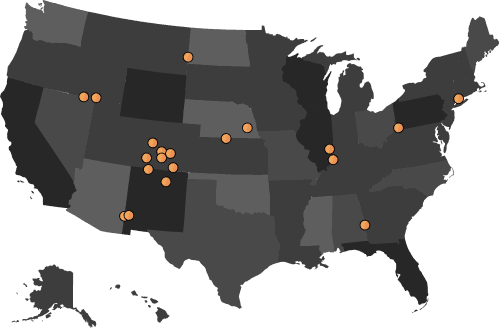
    City map with location markers

    Explore Our Other Course Categories

    Agile Certification Training Courses

    Project Management Certification Training Courses

    IT Service Management Certification Training Courses

    Quality Management Certification Courses

    DevOps Certification Training Courses

    IT Governance Certification Training Courses

    Other Related Courses

    Foundation

    CAPM Exam Prep

    Advanced

    PMP Certification

    Advanced

    Change Management Foundation and Practitioner

    Foundation

    Oracle Primavera P6

    Advanced

    PRINCE2 Practitioner

    Foundation

    PRINCE2 Foundation

    Advanced

    PRINCE2 Foundation & Practitioner

    Foundation

    Project Management Fundamentals

    Advanced

    PMI-RMP Certification

    Advanced

    PMI-CP Certification

    Advanced

    PgMP Certification

    Advanced

    PfMP Certification

    Foundation

    JIRA

    Foundation

    Microsoft Project

    Foundation

    Lean Project Management

    Advanced

    Business Analysis Foundation and Practitioner

    Foundation

    CAPM Exam Prep

    Advanced

    PMP Certification

    Advanced

    Change Management Foundation and Practitioner

    Foundation

    Oracle Primavera P6

    Advanced

    PRINCE2 Practitioner

    Foundation

    PRINCE2 Foundation

    Advanced

    PRINCE2 Foundation & Practitioner

    Foundation

    Project Management Fundamentals

    Advanced

    PMI-RMP Certification

    Advanced

    PMI-CP Certification

    Advanced

    PgMP Certification

    Advanced

    PfMP Certification

    Foundation

    JIRA

    Foundation

    Microsoft Project

    Foundation

    Lean Project Management

    Advanced

    Business Analysis Foundation and Practitioner

    Frequently Asked QuestionsHere's everything you may ask...

    Microsoft Project training is a practical, hands-on course that teaches you to plan, schedule and control projects using Microsoft Project, the scheduling software from Microsoft Corporation. It is offered at Fundamentals and Advanced levels and builds real skills in tasks, dependencies, resources, baselines and reporting.

    Microsoft Project training is a practical, hands-on course that teaches you to plan, schedule and control projects using Microsoft Project, the scheduling software from Microsoft Corporation. It is offered at Fundamentals and Advanced levels and builds real skills in tasks, dependencies, resources, baselines and reporting.

    Yes. Microsoft Project is the industry-standard scheduling tool, and employers across El Salvador's IT, construction, banking and infrastructure sectors value professionals who can drive it. The practical skills apply immediately to planning, resourcing and reporting on real projects.

    The course suits project managers, coordinators, planners, PMO analysts, programme managers and team leads who plan or track projects. Fundamentals fits new or occasional users, while Advanced is built for experienced practitioners who want deeper scheduling and reporting skills.

    Choose Fundamentals if you are new to Microsoft Project or use it occasionally and want a solid foundation in scheduling and resources. Choose Advanced if you already use it and want resource levelling, cost management, Earned Value, custom reports and multi-project management. You can take either or both.

    No. The Fundamentals level has no formal prerequisites; basic familiarity with Windows and Microsoft Office helps but is not required. For the Advanced level you should have completed Fundamentals or have equivalent hands-on experience using Microsoft Project.

    General

    What is Microsoft Project training?

    Microsoft Project training is a practical, hands-on course that teaches you to plan, schedule and control projects using Microsoft Project, the scheduling software from Microsoft Corporation. It is offered at Fundamentals and Advanced levels and builds real skills in tasks, dependencies, resources, baselines and reporting.

    Is Microsoft Project training worth it in El Salvador?

    Yes. Microsoft Project is the industry-standard scheduling tool, and employers across El Salvador's IT, construction, banking and infrastructure sectors value professionals who can drive it. The practical skills apply immediately to planning, resourcing and reporting on real projects.

    Who should take this Microsoft Project course?

    The course suits project managers, coordinators, planners, PMO analysts, programme managers and team leads who plan or track projects. Fundamentals fits new or occasional users, while Advanced is built for experienced practitioners who want deeper scheduling and reporting skills.

    Should I take the Fundamentals or Advanced level?

    Choose Fundamentals if you are new to Microsoft Project or use it occasionally and want a solid foundation in scheduling and resources. Choose Advanced if you already use it and want resource levelling, cost management, Earned Value, custom reports and multi-project management. You can take either or both.

    Do I need project management experience to start?

    No. The Fundamentals level has no formal prerequisites; basic familiarity with Windows and Microsoft Office helps but is not required. For the Advanced level you should have completed Fundamentals or have equivalent hands-on experience using Microsoft Project.

    Pricing

    How much does Microsoft Project training cost in El Salvador?

    Fees depend on the level you choose, the delivery format and whether you train as an individual or a group, so pricing is available on request. Fundamentals runs over two days and Advanced over three. Talk to a learning advisor for a quote that fits your needs.

    What is included in the course fee?

    The fee typically includes live instructor-led training across all modules, hands-on Microsoft Project exercises using realistic scenarios, structured courseware and learner support, plus a course completion record from Invensis Learning. Confirm the exact inclusions for your format when you enquire.

    Do you offer corporate or group pricing?

    Yes. We offer corporate and group training with customised schedules and volume-based pricing for project teams and PMOs. Teams can train on their own project data for maximum relevance. Contact us for a tailored group quote.

    Do I need a Microsoft Project licence, and is it included?

    You should have Microsoft Project installed and accessible on your device for the hands-on exercises. Microsoft Project is a separate product from Microsoft Corporation. Ask our team whether a trial licence is available for your session or whether you should arrange your own.

    What payment options are available?

    We accept major cards and bank transfers, and instalment options are available on selected plans. Speak with a learning advisor to choose the option that suits you and to ask about corporate or group pricing.

    Assessment

    How is the training assessed?

    There is no formal assessment. This is a practical skills course, so your learning is reinforced through hands-on Microsoft Project exercises using realistic project scenarios throughout each level, guided by the trainer.

    Will I get anything to show I completed the course?

    Yes. You receive a course completion record from Invensis Learning after finishing the programme. More importantly, you leave able to plan, schedule and report on projects in Microsoft Project straight away.

    How long is each level and how many hours?

    The Fundamentals level runs over two days for a total of 16 hours, and the Advanced level runs over three days for a total of 24 hours. Both are available as full-day or extended half-day formats. Confirm the current schedule when you enrol.

    Will this help me apply PMP or PRINCE2 methods?

    Yes. Microsoft Project is the tool most PMP, PRINCE2 and PMI PMBOK Guide practitioners use to put their methodology to work. This training gives you the software skills to build and control the plans those frameworks describe.

    Is prior Microsoft Office knowledge needed?

    Basic familiarity with Windows and Microsoft Office is helpful for the Fundamentals level but not essential. The trainer guides you through the Microsoft Project interface step by step during the hands-on exercises.

    Course Content

    What will I learn in Microsoft Project training?

    You will learn to set up projects, build a work breakdown structure, link tasks and read the critical path, create and level resources, set baselines, track progress and generate reports. The Advanced level adds cost management, Earned Value, custom reports and multi-project management.

    What does the Fundamentals level cover?

    Fundamentals covers project setup and calendars, the work breakdown structure, task dependencies and the critical path, resource creation and assignment, baselines, progress tracking and built-in reports, all through hands-on Microsoft Project exercises over two days.

    What does the Advanced level cover?

    Advanced covers task types and the scheduling formula, resource pools and levelling, cost management and Earned Value, custom fields, views and reports, master projects and cross-project dependencies, and what-if scenario planning over three days.

    Is the training hands-on?

    Yes. Both levels are delivered as live instructor-led sessions where you follow along in Microsoft Project while the trainer demonstrates each feature, then practise on realistic project scenarios so you build genuine proficiency.

    Which version of Microsoft Project is used?

    The course focuses on the Microsoft Project desktop application and its core scheduling features, and introduces Microsoft Project Online and Microsoft 365 integration at the Advanced level. Confirm the exact version for your session when you enquire.

    What materials and resources are provided?

    You receive structured courseware and realistic project scenarios to work through during the sessions, along with trainer guidance and post-training support. Together these help you apply Microsoft Project to your own projects after the course.

    Enrollment

    How do I enrol in Microsoft Project training in El Salvador?

    You can enrol through the Invensis Learning website. Choose your level and preferred format, complete payment, and you receive access to schedules, courseware and joining details. A learning advisor can help you pick the right level.

    What delivery formats are available?

    The training is available as live online virtual instructor-led sessions, onsite classroom training, and customised corporate group training, so you can choose the format that fits your schedule and location in El Salvador.

    Can my whole team be trained together?

    Yes. We deliver corporate group training onsite or live online for project and PMO teams, with schedules built around your availability and exercises based on your own project data. Contact us to arrange a session for your team.

    Can I reschedule my session?

    Yes. Flexible options let you reschedule to another batch on selected plans. Reach out to our support team and we will help you move to a date that works for you.

    How soon can I start?

    New live online and onsite batches run regularly, and self-paced options let you begin right away. Check upcoming schedules or talk to a learning advisor to find the earliest start that suits you.

    +1 470-260-0084contact@invensislearning.com
    Invensis Learning Logo

    Company

    • About us
    • Accreditations
    • Contact Us
    • Sitemap

    Resources

    • Blog
    • Info
    • Brochure
    • Skill Enhancement

    Support

    • Rescheduling Policy
    • Refund Policy

    Connect with us

    Chat with us

    contact@invensislearning.com

    +1 470-260-0084

    We Accept

    paymentmethods
    sslprotection

    SECURE

    SSL ENCRYPTION

    Quality and Compliance

    isocertfication9001
    isocertification27001

    Company

    • About us
    • Accreditations
    • Contact Us
    • Sitemap

    Resources

    • Blog
    • Info
    • Brochure
    • Skill Enhancement

    Support

    • Rescheduling Policy
    • Refund Policy

    Connect with us

    Chat with us

    contact@invensislearning.com

    +1 470-260-0084

    We Accept

    paymentmethods
    sslprotection

    SECURE

    SSL ENCRYPTION

    Quality and Compliance

    isocertfication9001
    isocertification27001
    usa

    USA

    +1 470-260-0084

    switzerland

    Switzerland

    +41 22 518 20 42

    australia

    Australia

    +61 2 5300 2805

    netherlands

    Netherlands

    +31 20 262 2348

    belgium

    Belgium

    +32 2 585 31 34

    denmark

    Denmark

    +45 89 88 45 44

    poland

    Poland

    +48 91 883 47 51

    uk

    UK

    +44 20 3322 3280

    india

    India

    +91 96202-00784

    Popular Training Categories

    • Agile Project Management Training
    • Project Management Courses
    • ITSM Certifications
    • Quality Management Courses
    • DevOps Courses
    • IT Governance Training

    Popular Courses

    • PMP Certification
    • PRINCE2 Certification
    • Change Management Certification
    • ITIL Foundation Certification
    • CAPM Certification
    • Lean Six Sigma Green Belt Certification
    • Lean Six Sigma Black Belt Certification
    • Root Cause Analysis Training
    • Lean Fundamentals Training
    • Six Sigma Awareness Training
    • Kaizen Training
    • VSM Training
    • DevOps Foundation Certification
    • COBIT 5 Certification
    • SIAM Certification
    • MS Project Training
    • Project Management Fundamentals Training
    • Lean Project Management Training
    • Scrum Fundamentals
    • CSM Certification
    • CSPO Certification

    Disclaimer

    • PMI®, PMP®, CAPM®, PMI-ACP®, PMBOK are registered marks of the Project Management Institute, Inc.
    • ITIL® is a registered trade mark of AXELOS Limited, used under permission of AXELOS Limited. All rights reserved.
    • PRINCE2® is a registered trademark of AXELOS Limited, used under permission of AXELOS Limited. All rights reserved.
    • PRINCE2â„¢ Agile are trade marks of AXELOS Limited, used under permission of AXELOS Limited. All rights reserved.
    • The Swirl logoâ„¢ is a trade mark of AXELOS Limited, used under permission of AXELOS Limited. All rights reserved.
    • DevOps Foundation® is a registered mark of the DevOps Institute®.
    • COBIT® is a trademark of ISACA® registered in the United States and other countries.
    • CSM, A-CSM, CSPO, A-CSPO, and CAL are registered trademarks of Scrum Alliance.
    • Invensis Learning is an Accredited Training Provider of EXIN for all their certification courses and exams.

    © 2026 Invensis Inc.

    Privacy PolicyTerms & Conditions
    Phone
    Select or type a course...
    Phone
    Select or type a course...